
The safest way to deploy a WordPress theme is a two-job GitHub Actions workflow: a test job that checks every PHP and JSON file on every push, and a deploy job that runs only when the tests pass on the main branch and copies the theme to the server with rsync over SSH. The SSH key belongs to a restricted deploy user that can write to the theme folder and nothing else.
I use this GitHub Actions pipeline on client themes and on my own site. It replaced FTP uploads completely — and with them, the “it worked on my machine” surprises on live sites.
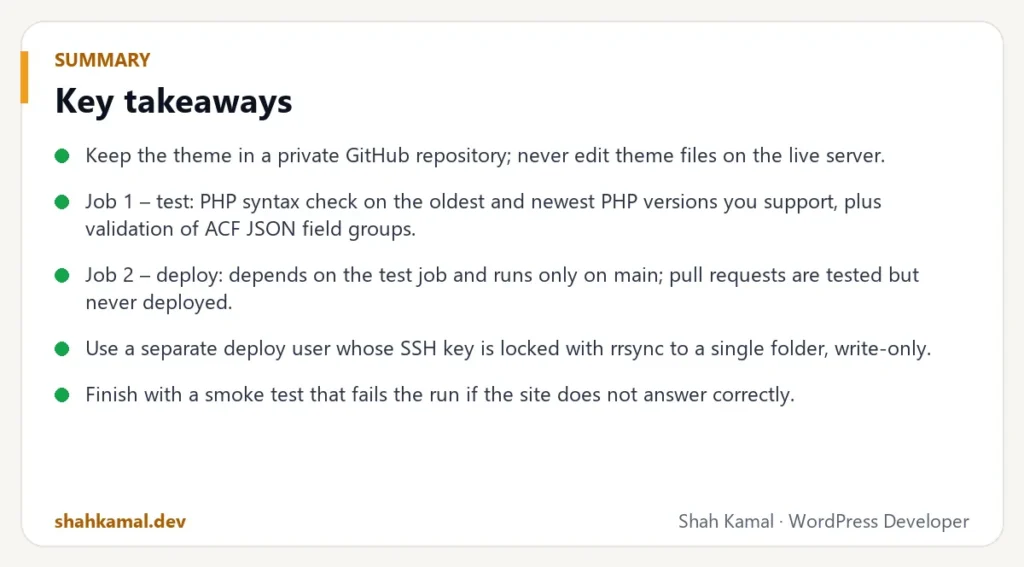
Key takeaways
- Keep the theme in a private GitHub repository; never edit theme files on the live server.
- Job 1 – test: PHP syntax check on the oldest and newest PHP versions you support, plus validation of ACF JSON field groups.
- Job 2 – deploy: depends on the test job and runs only on
main; pull requests are tested but never deployed. - Use a separate deploy user whose SSH key is locked with
rrsyncto a single folder, write-only. - Finish with a smoke test that fails the run if the site does not answer correctly.
Why stop deploying WordPress with FTP?
FTP deploys have three problems:
- No checks. One missing semicolon and the whole site shows a white screen.
- No history. Nobody knows who changed what, or how to go back.
- Too much access. FTP logins often reach the whole server, and passwords get shared in emails.
A Git-based pipeline fixes all three: every change is tested, every version is recorded, and the server only accepts files from one restricted key.
What does the GitHub Actions pipeline look like?
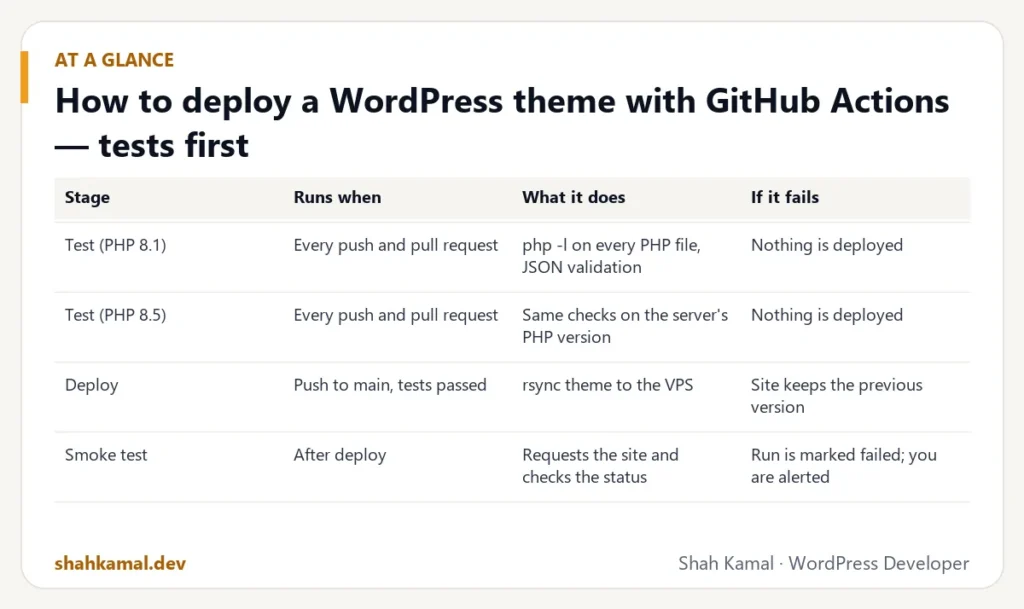
| Stage | Runs when | What it does | If it fails |
|---|---|---|---|
| Test (PHP 8.1) | Every push and pull request | php -l on every PHP file, JSON validation | Nothing is deployed |
| Test (PHP 8.5) | Every push and pull request | Same checks on the server’s PHP version | Nothing is deployed |
| Deploy | Push to main, tests passed | rsync theme to the VPS | Site keeps the previous version |
| Smoke test | After deploy | Requests the site and checks the status | Run is marked failed; you are alerted |
Step 1: How should the theme repository be set up?
Put only the theme in the repository — not WordPress core, not uploads, not other plugins. A typical structure:
style.css,functions.phpand templatesinc/for PHP modules (blocks, helpers, security)template-parts/blocks/for ACF block templatesacf-json/for ACF field groups — so fields are versioned with the codeassets/for CSS, JS, fonts and images.github/workflows/deploy.ymlfor the GitHub Actions pipeline
Add a .gitignore for node_modules, logs and .env files. Secrets never go into the repository.
Step 2: How do you write the test job?
The test job uses a matrix to run the same checks on two PHP versions: the oldest version your theme supports and the version your server runs. That catches syntax that is too new for old servers and deprecations on new ones.
The checks I run on every theme:
- PHP syntax:
php -lon every.phpfile. It takes seconds and catches the errors that cause white screens. - ACF JSON: every file in
acf-json/must be valid JSON. A broken field group silently removes fields from the editor. - Theme header:
style.cssmust containTheme Name:, or WordPress will not recognise the theme.
You can add more over time: PHP_CodeSniffer with WordPress coding standards, a CSS linter, or a build step for Sass and JavaScript.
Step 3: How do you create a restricted deploy user on the server?
This is the step most tutorials skip, and the most important for security.
- Create a user called
deploywith no sudo rights. - Make it own the theme folder (group
www-dataso the web server can read it). - Generate a new SSH key pair just for GitHub Actions. Do not reuse your personal key.
- Add the public key to
/home/deploy/.ssh/authorized_keyswith a forced command:
command="/usr/bin/rrsync -wo /var/www/site/wp-content/themes/mytheme",restrict ssh-ed25519 AAAA… github-actions
rrsync only allows rsync, only inside that folder, and -wo makes it write-only. restrict disables port forwarding, terminals and everything else. If the key ever leaked, it could not open a shell or read your wp-config.php.
- Test it: an SSH login with that key should be refused with an rrsync message, not a shell.
Step 4: Which secrets does GitHub need?
In the repository settings, add these Actions secrets:
| Secret | Value |
|---|---|
DEPLOY_SSH_KEY | The private key of the deploy key pair |
DEPLOY_KNOWN_HOSTS | The server’s host key (from ssh-keyscan) |
DEPLOY_HOST | The server IP or hostname |
DEPLOY_USER | deploy |
Pinning the host key in known_hosts protects the deploy from a man-in-the-middle attack. Delete the private key from your computer once it is stored in GitHub.
Step 5: How do you write the deploy job?
The deploy job:
- Depends on the test job (
needs: test), so it never runs if a test fails. - Runs only for pushes to
main, not for pull requests. - Uses a concurrency group, so two deploys never run at the same time.
- Writes the key and known hosts to
~/.sshwith strict permissions. - Runs
rsync -az --deletefrom the repository to the server, excluding.git,.githuband anything else that should not be public. Because rrsync limits the key to the theme folder, the destination is simply/. - Sets permissions during the copy (
--chmod=D755,F644).
--delete removes files on the server that you deleted in Git, so the server always matches the repository exactly.
Step 6: How do you add a smoke test?
After the copy, request two URLs:
- The theme’s
style.css— must return 200, proving the files arrived. - The home page — must return 200 (or 503 if you are deliberately in maintenance mode).
If either check fails, the GitHub Actions workflow fails and GitHub emails you. You know within a minute, instead of hearing it from a client.
What problems might you hit?
“Connection timed out” on port 22
The server’s firewall allows SSH, but GitHub’s runners still cannot connect. Many hosting providers have an extra firewall in their control panel that only allows certain IPs. Allow port 22 there, or use a self-hosted runner on the server.
“Permission denied (publickey)”
The key in GitHub does not match authorized_keys, or the deploy user’s .ssh folder has the wrong permissions (700 for the folder, 600 for the file).
Files deployed but the site did not change
Check caching: a page cache, CDN or OPcache may serve the old version. Version your CSS and JS URLs with the file modification time so browsers fetch new files.
Line endings differ between Windows and the server
If you develop on Windows, Git may convert line endings in your working copy. The server receives the committed version, which is what you want. Compare against git show HEAD:file, not your local file.
How does this fit into a daily workflow?
- Make changes on your local WordPress (LocalWP works well).
- Commit to a branch and open a pull request — the tests run automatically.
- Merge to
mainwhen the checks are green. - GitHub deploys within a minute; the smoke test confirms the site is up.
- To roll back, revert the commit — the previous version deploys automatically.
How should you handle branches and releases?
A simple branching model is enough for most WordPress themes:
| Branch | Purpose | Deploys? |
|---|---|---|
main | Exactly what is live | Yes, automatically |
feature/... | One change or feature | No — tested only |
hotfix/... | Urgent fix | No — merged quickly into main |
Work on a feature branch, open a pull request, and let the tests run. Merge only when they are green. Because main always matches the live site, you always know what is deployed.
For bigger releases, tag versions (v1.4.0) and bump the Version in style.css. Your asset URLs can include the file modification time, so browsers download the new CSS and JavaScript immediately.
Can you add a staging environment to the same pipeline?
Yes, and it is worth it for client sites. Create a staging subdomain on the same VPS with its own WordPress install and its own restricted deploy key. Then:
- Pushes to a
stagingbranch deploy to the staging site. - Pushes to
maindeploy to production.
The client can review changes on staging before they go live, and the production deploy is just a merge.
What about themes that need a build step?
If your theme uses Sass, a JavaScript bundler or Tailwind, add a build step between the tests and the deploy:
- Install Node.js in the GitHub Actions workflow.
- Run
npm ciand your build command. - Deploy the built files, and exclude source folders and
node_modules.
Commit the lock file so builds are repeatable, and never commit built files and source files that disagree.
How do you roll back a bad deploy?
Because every deploy is a commit, rolling back is just another commit:
- Find the commit that caused the problem.
- Use
git revertto create a commit that undoes it. - Push to
main— GitHub Actions tests and deploys the previous version within a minute.
No FTP, no guessing which files changed, and the history shows exactly what happened and why.
Which security checks are worth adding later?
Once the basics work, these checks add real value:
- PHP_CodeSniffer with WordPress Coding Standards, focused on escaping and sanitising.
- A secrets scanner, so API keys never get committed by accident.
- Dependency review if the theme uses Composer or npm packages.
- A check that no debug code (
var_dump,console.log) reaches production.
FAQ
Frequently asked questions
Do I need GitHub Actions for a small WordPress site?
Not strictly, but the setup takes an hour or two and removes most deployment risk. For any site that earns money, it pays for itself the first time it blocks a broken deploy.
Can GitHub Actions deploy plugins and the database too?
It can deploy custom plugins the same way as themes. Database content (pages, posts, settings) should stay on the live site; move it with migration tools only when needed.
Is it safe to store an SSH key in GitHub Secrets?
Yes, when the key belongs to a restricted user that can only write to one folder. Never store a root key or a key with shell access.
What if my host does not allow SSH?
Then the host is limiting how professionally you can deploy. Many managed WordPress hosts offer Git deploys; otherwise a small VPS is worth considering.
Can this work with Bitbucket or GitLab?
Yes. The same idea — test job, deploy job, restricted key — works with Bitbucket Pipelines and GitLab CI.
If you want this GitHub Actions pipeline set up for your WordPress theme or plugin, see my VPS and DevOps service or hire me on Upwork.
Planning a project?
Invite me to your job or hire me on Upwork, and we can talk it through there. I usually reply within a few hours.
Hire me on Upwork