The WordPress website cost for a small or medium business is usually between $1,500 and $6,000 when it is built by an experienced freelance developer, and $8,000 to $30,000 or more when an agency builds it. The exact number depends on how many unique page designs you need, how much custom functionality the WordPress website has, whether design is included, and who moves your content in.
I have quoted and built WordPress sites since 2014 — more than 112 projects on Upwork alone — and the same questions come up every time: Why is one quote $800 and another $9,000? What am I actually paying for? What will it cost me next year? This guide answers those questions with the numbers I see in real projects.
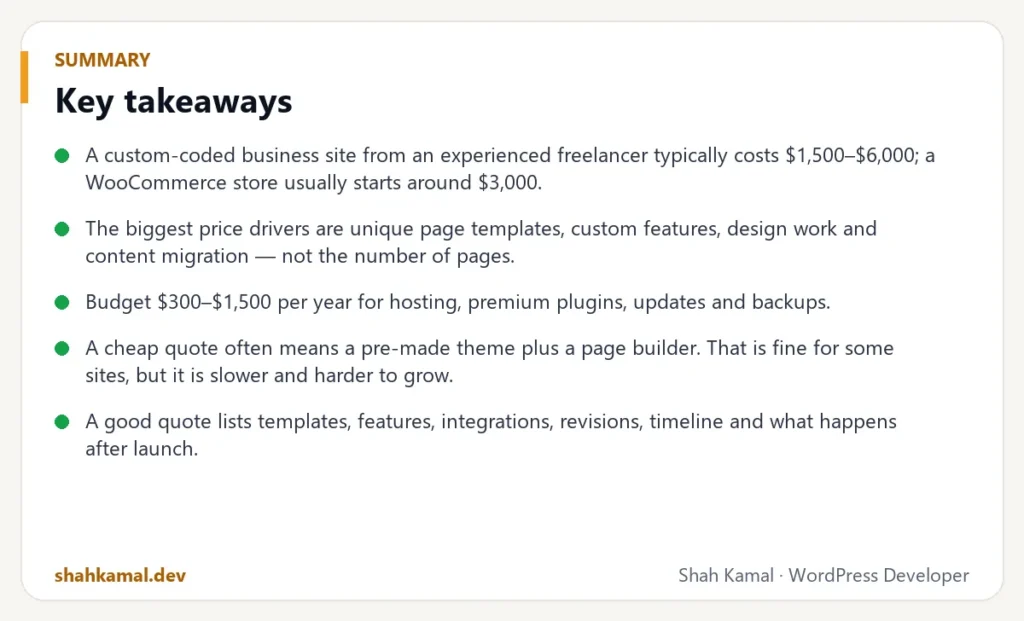
Key takeaways
- A custom-coded business site from an experienced freelancer typically costs $1,500–$6,000; a WooCommerce store usually starts around $3,000.
- The biggest price drivers are unique page templates, custom features, design work and content migration — not the number of pages.
- Budget $300–$1,500 per year for hosting, premium plugins, updates and backups.
- A cheap quote often means a pre-made theme plus a page builder. That is fine for some sites, but it is slower and harder to grow.
- A good quote lists templates, features, integrations, revisions, timeline and what happens after launch.
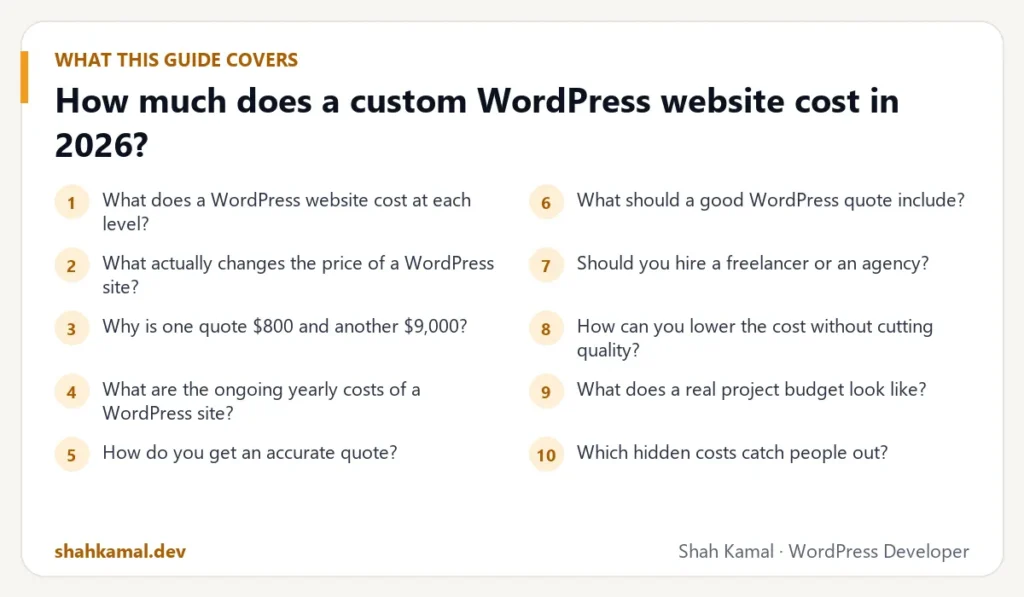
What does a WordPress website cost at each level?
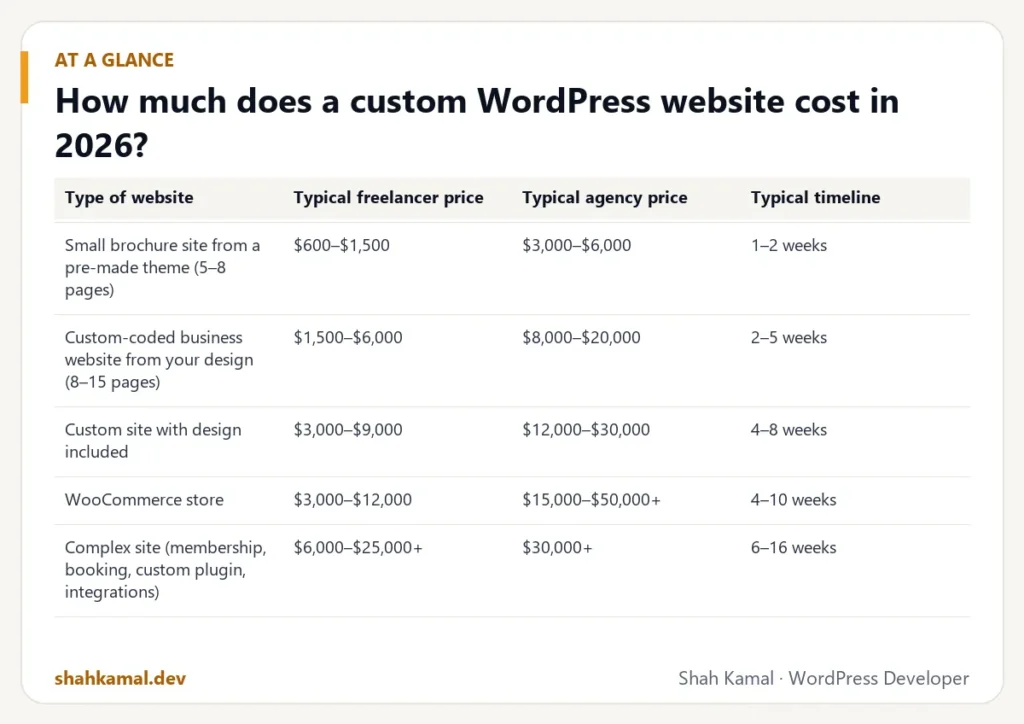
WordPress itself is free. You pay for the work of designing, building, configuring and maintaining the site. Here are the typical ranges I see for projects in 2026, based on a freelance developer with solid experience. Agencies usually charge two to four times more because they carry project managers, account managers and office costs.
| Type of website | Typical freelancer price | Typical agency price | Typical timeline |
|---|---|---|---|
| Small brochure site from a pre-made theme (5–8 pages) | $600–$1,500 | $3,000–$6,000 | 1–2 weeks |
| Custom-coded business website from your design (8–15 pages) | $1,500–$6,000 | $8,000–$20,000 | 2–5 weeks |
| Custom site with design included | $3,000–$9,000 | $12,000–$30,000 | 4–8 weeks |
| WooCommerce store | $3,000–$12,000 | $15,000–$50,000+ | 4–10 weeks |
| Complex site (membership, booking, custom plugin, integrations) | $6,000–$25,000+ | $30,000+ | 6–16 weeks |
These are not fixed prices. They are the ranges that most honest quotes land in. If a quote falls far outside them, ask why — sometimes there is a good reason, sometimes there is not.
Why the hourly rate is only half the story
Experienced WordPress developers on Upwork charge roughly $25 to $80 per hour, depending on skills and track record. But a lower rate does not always mean a lower total. A developer who has built fifty similar sites will finish faster, make fewer mistakes and leave you with code that does not need rescuing in a year. Compare the total quote and what it includes, not just the hourly number.
What actually changes the price of a WordPress site?
When I price a project, I am not counting pages. I am counting how much different work each part needs.
Unique page templates
A “template” is a page layout with its own design. A WordPress site with 30 pages might only need five templates: home, service page, about, blog post and contact. Another WordPress site with 8 pages might need 8 completely different designs. Unique templates are the single biggest cost driver.
If your WordPress site uses reusable sections — for example, ACF blocks that editors can stack in any order — new pages cost almost nothing to add later. That is one of the reasons I build sites with blocks.
Custom functionality
Anything beyond “show content” adds work:
- Booking and appointment systems
- Quote calculators and multi-step forms with conditional logic
- Member areas and gated content
- Custom post types such as properties, courses, team members or case studies
- Search and filtering across many items
- Multi-language support
Some of these are solved well by an existing plugin and need only setup and styling. Others need a custom plugin. A good WordPress developer will tell you which is which — and why.
Design: provided, adapted or created from scratch
If you hand over a finished Figma file, the developer only builds. If the developer must also design, expect the price to rise by 30–60%, because design involves research, layout options, revisions and a mobile version of every screen.
Content and migration
Moving 15 pages from an old site is a few hours. Moving 400 blog posts with images, categories, redirects and SEO data is a project of its own. Always say how much content you have and where it lives today.
Integrations
Connecting a CRM, email marketing tool, payment gateway, ERP, shipping service or an external API usually adds 3 to 20 hours each, depending on how well the other service is documented.
Speed, SEO and accessibility requirements
Every site should load quickly and be crawlable. But if you need a specific PageSpeed score, full WCAG accessibility, schema markup on every page type or a technical SEO audit, say so up front. It is real work, and it should be in the quote rather than added later.
Why is one quote $800 and another $9,000?
Usually because the two developers are quoting different products.
The $800 quote is often a pre-made theme with a page builder like Elementor or Divi, your text and photos dropped in, and very little custom code. That can be a reasonable choice for a simple site with a small budget.
The $9,000 quote is usually a custom WordPress theme built for your content, with reusable blocks, performance work, SEO setup, testing on real devices and a handover. It costs more on day one, and often costs less over three years because the WordPress website is faster, safer and easier to change.
| Pre-made theme + page builder | Custom theme with ACF blocks | |
|---|---|---|
| Upfront cost | Low | Medium to high |
| Page speed | Often slow (heavy CSS/JS) | Fast — only the code you need |
| Editing | Very flexible, easy to break the design | Structured — hard to break the design |
| Long-term changes | Gets harder as plugins pile up | Easy to extend with new blocks |
| Lock-in | Tied to the builder plugin | Standard WordPress |
Neither option is “wrong”. The point is to know which one you are buying.
What are the ongoing yearly costs of a WordPress site?
The build is only part of the cost. Plan for these every year:
| Item | Typical yearly cost |
|---|---|
| Domain name | $10–$40 |
| Hosting (good shared or managed) | $100–$600 |
| VPS hosting (managed by your developer) | $60–$300 + management |
| SSL certificate | $0 (Let’s Encrypt is free) |
| Premium plugins (ACF Pro, forms, SEO, backups) | $50–$400 |
| Updates, backups and monitoring | $300–$1,500 |
| Small changes and new sections | Hourly, as needed |
A WordPress site that nobody updates is a site that eventually gets hacked. Budget for maintenance from the start, or learn to do the basics yourself.
How do you get an accurate quote?
The more clearly you describe the project, the more accurate — and usually lower — the quote. Developers add a safety margin to vague requests.
Send these with your first message:
- What the WordPress website is for — leads, sales, bookings, information?
- A list of pages or a sitemap, even a rough one.
- Design status — finished Figma file, sketches, or “please design it”.
- Two or three sites you like, and what you like about them.
- Features — forms, booking, shop, member area, languages.
- Content — who writes it, and how much there is to move.
- Deadline and budget range. A range helps the developer suggest the right approach instead of guessing.
Tip: a budget range is not a trap. It lets a developer say “for $3,000 we can do X now and Y later” instead of quoting the most expensive version of everything.
What should a good WordPress quote include?
Before you compare prices, make sure the quotes cover the same things. A professional quote lists:
- Scope: every template and feature by name.
- What you provide: design, text, images, logins.
- Plugins and licences: which ones, and who pays for them.
- Revisions: how many rounds of changes are included.
- Testing: browsers and devices checked before launch.
- Launch: who moves the site live, and how.
- Handover: a walkthrough video or guide for editing.
- After launch: warranty period for bugs, and the rate for later work.
- Timeline and payment milestones.
If a quote is one line — “Website: $2,000” — ask for the details. Missing details are where surprise costs come from.
Should you hire a freelancer or an agency?
Choose an agency if you need a big team at once: brand strategy, copywriting, photography, design, development and marketing under one contract, and the budget to match.
Choose an experienced freelancer if you want to work directly with the person who writes the code, keep costs reasonable, and move quickly. With a freelancer, nothing gets lost between a project manager and a developer.
On Upwork you also get payment protection and a public history of every job and review, which removes much of the risk of hiring someone you have not met.
How can you lower the cost without cutting quality?
- Start with fewer templates. Launch with the pages that bring business, then add more.
- Reuse sections. A block-based design lets one section serve many pages.
- Write your content before development starts. Waiting for text is the most common reason projects run late.
- Use proven plugins for standard features instead of custom code.
- Phase the project. Phase 1: a fast, clean site that converts. Phase 2: the extras.
- Keep one decision-maker. Feedback from five people adds rounds of revisions.
What does a real project budget look like?
Numbers are easier to understand with an example. Here is how I would break down a typical project: a custom-coded website for a service business, built from a finished Figma design, with eight unique templates and about twenty pages of content.
| Part of the work | Typical share of the budget |
|---|---|
| Discovery: reviewing the design, planning blocks and content structure | 5–10% |
| Theme setup, global styles, header, footer, navigation | 10–15% |
| Building the reusable blocks and page templates | 35–45% |
| Forms, integrations and custom features | 10–20% |
| Content entry and migration | 5–15% |
| Speed, SEO setup and accessibility checks | 5–10% |
| Testing on devices, fixes and launch | 5–10% |
| Handover video and documentation | 2–5% |
If one quote is much lower, look at which rows are missing. Most often it is testing, speed work and handover — the parts you only notice when they are not done.
Which hidden costs catch people out?
These are the costs I see surprise clients most often after launch:
- Premium plugin renewals. Many plugins are paid yearly. If a licence lapses, you stop getting security updates.
- Stock photos and fonts. Commercial fonts and images need licences for web use.
- Email sending. Contact forms need a reliable way to send email (SMTP or an email service). Without it, enquiries silently go missing.
- Copywriting. Good website text is a skill. If nobody on your team writes, budget for a copywriter.
- Changes in scope. A new feature added halfway through costs more than the same feature planned from the start.
- Rescue work. Fixing a cheap site later — speed, security, broken layouts — often costs more than building it properly once.
Asking about these up front costs nothing and prevents most budget surprises.
FAQ
Frequently asked questions
Is WordPress free?
Yes. The WordPress software is free and open source. You pay for hosting, a domain, any premium plugins or themes, and the time of the person who designs, builds and maintains the site.
How long does it take to build a custom WordPress website?
A custom business site from a finished design usually takes two to five weeks. Add two to four weeks if design is included, and more for stores or complex features. Waiting for content is the most common cause of delay.
Is a page builder like Elementor cheaper than a custom theme?
It is usually cheaper to build at the start. Over time a custom theme is often cheaper to own, because it is faster, has fewer plugins to update and is easier to extend without breaking the layout.
Do I need to pay for maintenance after launch?
You need someone to update WordPress, plugins and PHP, and to keep backups. You can do this yourself or pay for a maintenance plan, typically $25–$125 per month depending on the site.
Can I get a fixed price instead of hourly?
Yes. For well-defined projects most developers, including me, give a fixed price with clear deliverables. Small or open-ended work is usually billed hourly.
If you want a clear, itemised quote for your WordPress project, send me the details or hire me on Upwork. I usually reply within a few hours.
Planning a project?
Invite me to your job or hire me on Upwork, and we can talk it through there. I usually reply within a few hours.
Hire me on Upwork