For most business websites, custom ACF blocks are the better long-term choice: pages load faster, editors cannot accidentally break the design, and adding new sections later costs less. Page builders like Elementor or Divi are better when you need to launch very quickly on a small budget, or when one person wants total visual freedom and does not mind the extra weight.
I build both kinds of sites, and I am regularly asked to rescue page-builder sites that became slow or impossible to change. This article explains the difference in plain terms, so you can choose with your eyes open.
Key takeaways
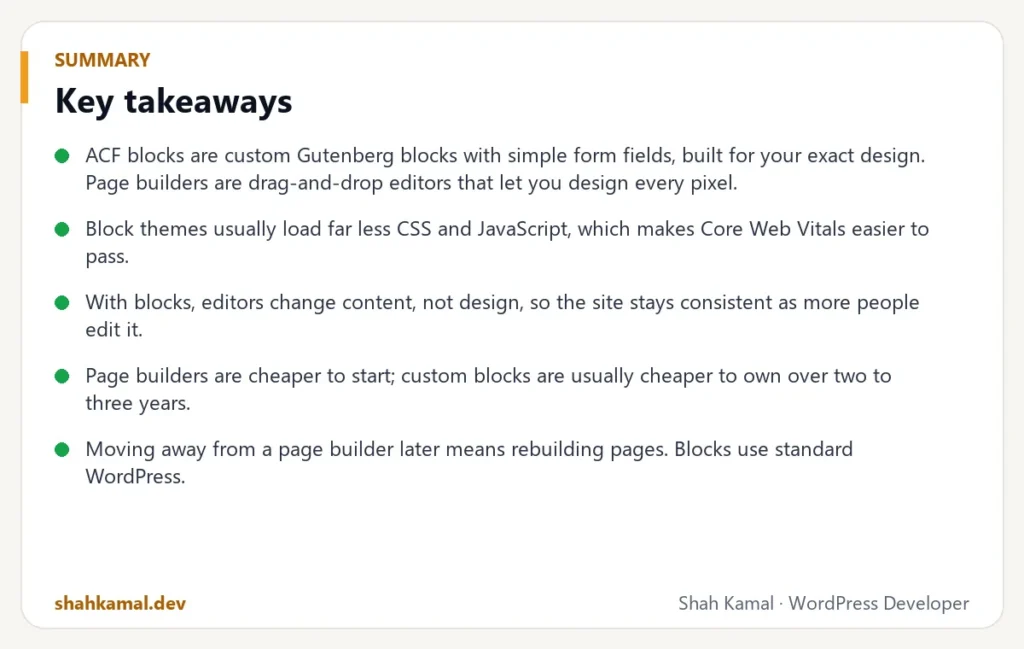
- ACF blocks are custom Gutenberg blocks with simple form fields, built for your exact design. Page builders are drag-and-drop editors that let you design every pixel.
- Block themes usually load far less CSS and JavaScript, which makes Core Web Vitals easier to pass.
- With blocks, editors change content, not design, so the site stays consistent as more people edit it.
- Page builders are cheaper to start; custom blocks are usually cheaper to own over two to three years.
- Moving away from a page builder later means rebuilding pages. Blocks use standard WordPress.
What is the difference between ACF blocks and a page builder?
Page builders
A page builder — Elementor, Divi, WPBakery, Beaver Builder — replaces the normal WordPress editor with its own visual editor. You drag widgets onto the page and set fonts, colours, spacing, animations and responsive rules for each element. Everything is possible, on every page.
ACF blocks
Advanced Custom Fields (ACF) Pro lets a developer create custom blocks for the WordPress block editor. Each block is a section of your design — a hero, a services grid, testimonials, a pricing table, an FAQ. When you add a block, you fill in simple fields: title, text, image, button link. The developer controls the design; you control the content.
You still build pages visually by stacking blocks in any order, and you still see a live preview. You just cannot change the font size of one heading to 37 px in a hurry.
Which is faster: ACF blocks or Elementor?
In almost every comparison I have run on real sites, the custom block theme is faster.
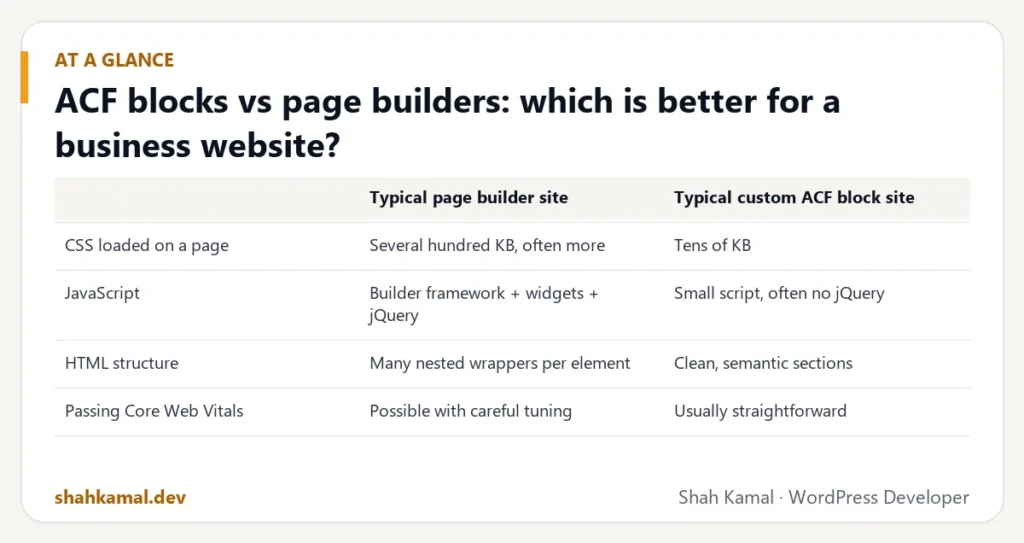
Page builders must support every possible layout, so they load large shared CSS and JavaScript files and wrap each element in several layers of HTML. A custom theme only contains the styles and scripts your design actually uses.
| Typical page builder site | Typical custom ACF block site | |
|---|---|---|
| CSS loaded on a page | Several hundred KB, often more | Tens of KB |
| JavaScript | Builder framework + widgets + jQuery | Small script, often no jQuery |
| HTML structure | Many nested wrappers per element | Clean, semantic sections |
| Passing Core Web Vitals | Possible with careful tuning | Usually straightforward |
Page builders have improved, and a well-tuned Elementor site can pass Core Web Vitals. But you start with more weight, and every new widget adds more.
Which is easier for my team to edit?
It depends on who edits and what they change.
Page builders are easier if one person wants to design new layouts without a developer, and is careful.
ACF blocks are easier for everyone else. Editors see a short form — “Title”, “Text”, “Button” — instead of a hundred style options. They cannot accidentally change the font, the spacing or the mobile layout. Three people can edit the site for two years and it still looks like one brand.
The most common complaint I hear about page-builder sites is not speed. It is: “Every page looks slightly different, and we don’t know why.”
Is a page builder bad for SEO?
Not directly. Google can read page-builder pages. The SEO problems are indirect:
- Speed: heavier pages make Core Web Vitals harder to pass.
- Heading structure: it is easy to use an H2 because it “looks right”, which breaks the document outline.
- Bloated HTML: more code for the same content.
With ACF blocks, the developer decides which heading levels each block uses, outputs clean HTML and can add structured data — for example, FAQ schema generated automatically from an FAQ block.
How do the costs compare over time?
| Page builder | Custom ACF blocks | |
|---|---|---|
| Initial build | Lower | Higher |
| Plugin licences | Builder Pro licence + add-ons yearly | ACF Pro licence yearly |
| Adding a new page | Often design from scratch | Stack existing blocks — minutes |
| Adding a new section type | Configure widgets | Developer builds a new block |
| Speed fixes later | Often needed | Rarely needed |
| Redesign in 3 years | Usually a full rebuild | Restyle blocks, keep content |
A page builder site often costs less in month one and more by year two or three.
What about lock-in?
When you deactivate a page builder, your pages turn into a mess of shortcodes or lose their layout entirely. Moving to another theme means rebuilding every page.
ACF blocks store their content as standard WordPress block data. If you change themes, the content is still there and can be mapped to new blocks. You depend on ACF Pro, but ACF is one of the most widely used plugins in the WordPress ecosystem.
When should you choose a page builder?
A page builder is a good fit when:
- You need a site live in days and the budget is very small.
- One person will design pages themselves and enjoys it.
- The site is a short-term campaign or event site.
- Performance is “nice to have”, not critical.
When should you choose custom ACF blocks?
Custom blocks are the better fit when:
- The website is a long-term sales tool for your business.
- Several people edit content, and the brand must stay consistent.
- Speed, SEO and accessibility matter.
- You expect to add many pages over time — services, case studies, locations, landing pages.
- You have (or will have) a proper design in Figma.
How does a custom ACF block site work in practice?
On a typical project I:
- Break the design into sections. A 12-page design might have 15–25 unique sections.
- Build each section as a block with clear fields, spacing options and an anchor for in-page links.
- Save field groups to JSON in the theme, so they are version-controlled with the code.
- Limit the editor to these blocks on pages, so nobody can paste in random layouts.
- Build the pages with real content and test on phones, tablets and desktops.
- Record a short walkthrough so the team knows which block to use for what.
The result is a site that looks designed on every page — because every page is built from designed parts.
Can you convert an Elementor site to ACF blocks?
Yes. It is one of the most common projects I take on. The process is:
- List every unique section across the existing pages.
- Design (or clean up) those sections as a consistent set.
- Build them as ACF blocks in a custom theme.
- Rebuild the pages with the new blocks, keeping URLs, titles and meta descriptions.
- Compare speed before and after, and set up redirects for anything that changes.
Most clients see a large speed improvement and a simpler editing experience at the same time.
What does a good set of blocks look like for a business site?
A typical service business needs fewer blocks than people expect. This is a common starting set:
| Block | Used for | Typical fields |
|---|---|---|
| Hero | Top of the home page and campaign pages | Heading, text, two buttons, image, badges |
| Page header | Top of inner pages | Eyebrow, title, intro, breadcrumbs |
| Services grid | Listing services with links | Repeater: icon, title, text, list, link |
| Features / benefits | Why choose you | Repeater: icon, title, text |
| Case studies | Showing results | Pick projects, or latest |
| Testimonials | Social proof | Repeater: quote, name, project, date |
| Process | How you work | Repeater: step title, text |
| FAQ | Answering objections and SEO | Repeater: question, answer, schema on/off |
| Call to action | Ending every page | Title, text, buttons |
| Contact | Lead capture | Form shortcode, contact details |
| Rich text | Long-form content | WYSIWYG, width |
With around a dozen well-designed blocks, a team can build almost any page the business needs — service pages, landing pages, location pages — without a developer.
How do you keep editors from breaking a block-based site?
Blocks are already safer than a page builder, but a few extra rules help:
- Limit the blocks available on pages to your custom set plus basic text blocks. Editors cannot paste in random layouts.
- Give every block sensible defaults, so a newly added block looks right before it is filled in.
- Use clear field labels and instructions inside the editor: “Wrap a word in em to highlight it”, “One item per line”.
- Offer spacing and background options as presets (Default, Soft, Dark) rather than free colour pickers.
- Save field groups as JSON in the theme, so changes to fields are versioned and reviewed like code.
What about performance inside the editor?
Editors care about how fast the admin feels, too. ACF blocks render server-side previews, which are quick for simple blocks. For heavy blocks — maps, sliders, long query loops — show a lightweight placeholder in the editor instead of the full output. Editors get instant feedback, and the live page still shows the real thing.
How do page builders and blocks handle responsive design?
With a page builder, every element can have separate settings for desktop, tablet and mobile. That is powerful, but it also means three times as many places for mistakes, and pages that look right on desktop often break on a phone.
With custom blocks, the developer designs the responsive behaviour once, in the stylesheet. Every instance of the block behaves the same way on every screen. Editors do not need to think about breakpoints at all — they write content, and the layout adapts.
FAQ
Frequently asked questions
Is ACF Pro free?
ACF has a free version, but ACF Blocks require ACF Pro, which is a paid yearly licence. For a single site it costs less than most page builder Pro licences.
Can I still edit pages visually with ACF blocks?
Yes. You edit in the normal WordPress block editor and see a live preview of every block. You change content in simple fields instead of dragging style controls.
Is Gutenberg the same as ACF blocks?
Gutenberg is the WordPress block editor. ACF blocks are custom blocks that live inside that editor, built by a developer with ACF Pro. Core Gutenberg blocks and ACF blocks can be used together.
Will switching from Elementor to ACF blocks hurt my SEO?
Not if the migration keeps URLs, titles, meta descriptions and content. Faster pages and cleaner HTML usually help SEO.
How long does it take to build a custom ACF block theme?
For a typical business site with 15–25 blocks, two to five weeks, depending on design readiness and content.
If you want a fast, easy-to-edit WordPress site built with ACF blocks, see my custom WordPress development service or hire me on Upwork.
Planning a project?
Invite me to your job or hire me on Upwork, and we can talk it through there. I usually reply within a few hours.
Hire me on Upwork