To add an AI chatbot to WordPress safely, connect it to your own content, call the AI model from your server — never from the browser — and set limits on cost, topics and data. The chatbot should answer from your pages, products and FAQs, say “I don’t know” when the answer is not there, and hand visitors to a human or a contact form when they are ready to buy.
AI integration is the newest service I offer. I have built several working assistants for WordPress — chat, smart search and admin writing helpers — and I am now taking on the first client projects. This guide explains how a well-built assistant works, so you can judge any solution, whether you build it with me or not.
Key takeaways
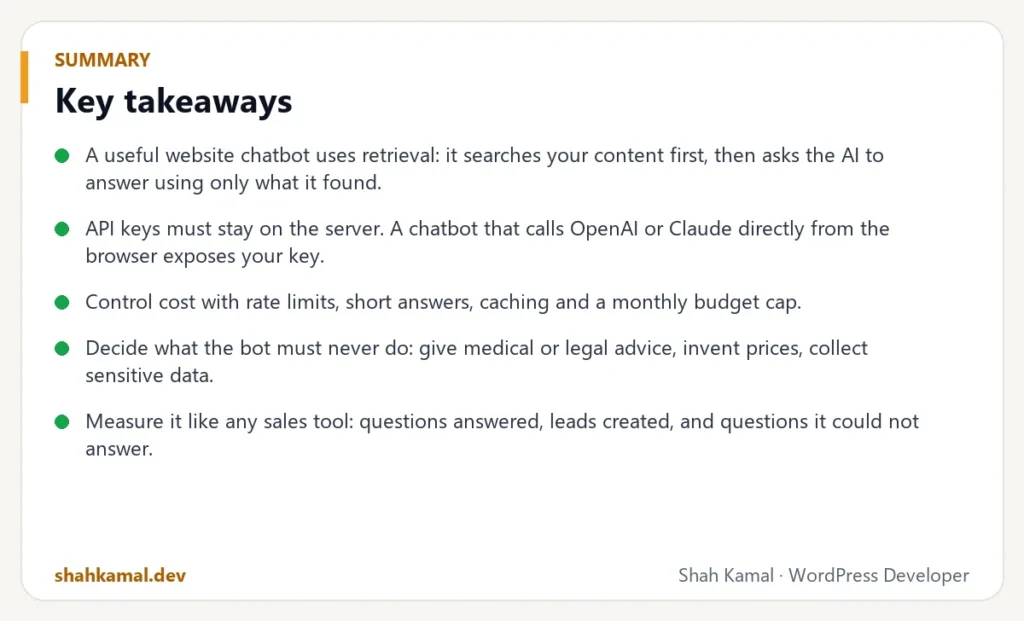
- A useful website chatbot uses retrieval: it searches your content first, then asks the AI to answer using only what it found.
- API keys must stay on the server. A chatbot that calls OpenAI or Claude directly from the browser exposes your key.
- Control cost with rate limits, short answers, caching and a monthly budget cap.
- Decide what the bot must never do: give medical or legal advice, invent prices, collect sensitive data.
- Measure it like any sales tool: questions answered, leads created, and questions it could not answer.
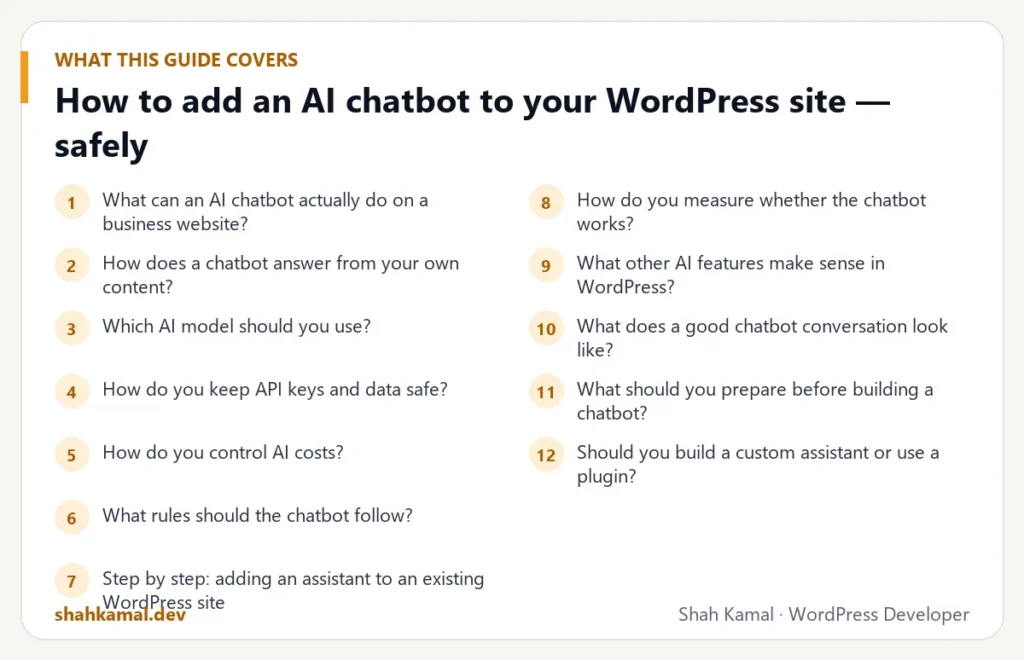
What can an AI chatbot actually do on a business website?
Good use cases:
- Answer pre-sales questions at any hour: services, process, delivery times, policies.
- Help visitors find the right page or product from a plain-language question.
- Qualify leads by asking two or three questions, then passing a summary to your inbox or CRM.
- Explain technical documentation in simpler words.
- Support your team in wp-admin: draft product descriptions, summarise long posts, suggest meta descriptions.
Poor use cases:
- Replacing your support team entirely.
- Answering questions about things that are not on your website.
- Anything where a wrong answer is dangerous or expensive, without human review.
How does a chatbot answer from your own content?
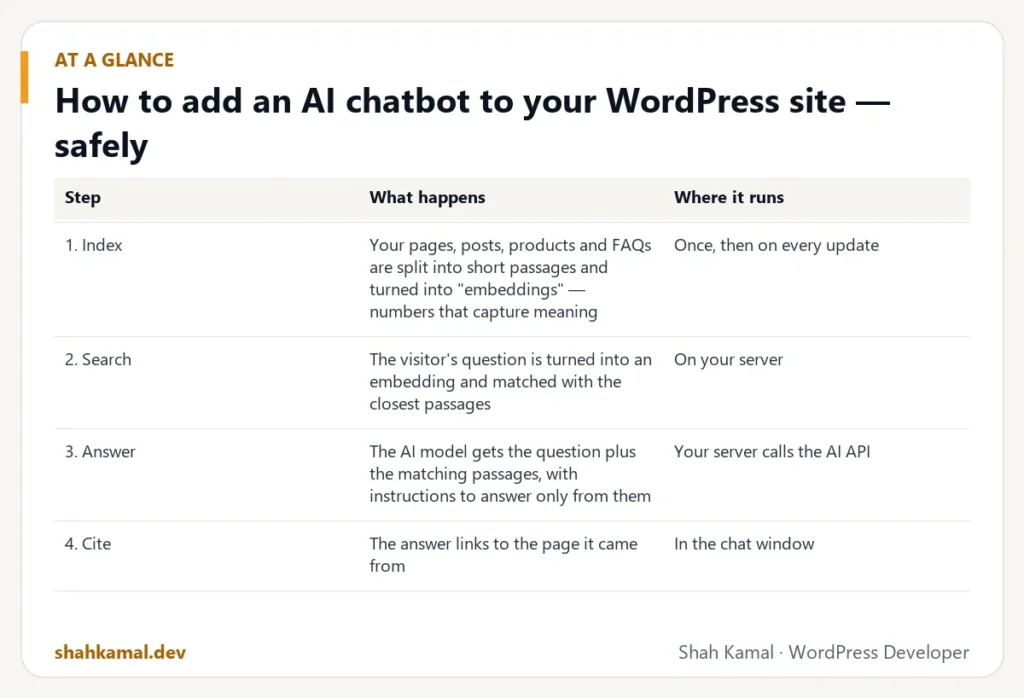
The method is called retrieval-augmented generation (RAG). It sounds complicated; the idea is simple.
| Step | What happens | Where it runs |
|---|---|---|
| 1. Index | Your pages, posts, products and FAQs are split into short passages and turned into “embeddings” — numbers that capture meaning | Once, then on every update |
| 2. Search | The visitor’s question is turned into an embedding and matched with the closest passages | On your server |
| 3. Answer | The AI model gets the question plus the matching passages, with instructions to answer only from them | Your server calls the AI API |
| 4. Cite | The answer links to the page it came from | In the chat window |
Because the model only sees your passages, it gives answers that match your site, and it can link to the exact page. If nothing relevant is found, it says so instead of guessing.
Which AI model should you use?
The main options are the APIs from OpenAI (GPT models) and Anthropic (Claude models), plus open-source models you host yourself.
| Option | Strengths | Consider |
|---|---|---|
| OpenAI API | Mature tools, embeddings and chat in one place | Usage-based cost; data policy settings |
| Anthropic Claude API | Strong at following instructions and long context | Usage-based cost; separate embeddings provider |
| Self-hosted open-source model | Data never leaves your server | Needs a powerful server and more maintenance |
For most business websites, a hosted API with a small, fast model is the best balance of quality, speed and cost. The architecture should make it easy to switch providers later.
How do you keep API keys and data safe?
This is where many quick plugins and tutorials go wrong.
- Never put the API key in JavaScript. Anyone can open the browser’s developer tools and copy it. The browser should call your WordPress endpoint; your server calls the AI provider.
- Store the key outside the database — for example as a constant in
wp-config.phpor a server environment variable — and never in the theme. - Validate and limit requests on your endpoint: a nonce, a maximum message length and a rate limit per visitor.
- Do not send personal data you do not need. Tell visitors not to enter passwords, card numbers or health information, and strip obvious patterns before sending.
- Write a clear privacy notice that says an AI service processes chat messages.
- Log carefully. Keep conversation logs only as long as you need them, and protect them like any other customer data.
How do you control AI costs?
AI APIs charge per token — roughly per word in and out. A runaway bot, or a bot abused by spammers, can create an unexpected bill.
- Set a hard monthly budget in the provider’s dashboard.
- Rate-limit each visitor (for example 20 messages per hour).
- Keep answers short with a maximum output length.
- Send only the best few passages, not your whole website, with each question.
- Cache answers to the most common questions.
- Choose a small model for chat; use a larger one only where quality really matters.
For a typical small business site, a well-limited assistant often costs a few dollars to a few tens of dollars per month in API usage.
What rules should the chatbot follow?
Every assistant needs a short, firm set of instructions:
- Answer only from the provided website content.
- If the answer is not in the content, say so and offer the contact form.
- Never invent prices, dates, guarantees or policies.
- Never give legal, medical or financial advice.
- Keep a friendly, professional tone that matches the brand.
- Encourage the visitor to book a call or request a quote when they show buying intent.
Test these rules with awkward questions before launch: off-topic requests, attempts to make the bot ignore its instructions, and questions about competitors.
Step by step: adding an assistant to an existing WordPress site
- Define the goal. “Answer pre-sales questions and capture leads” is better than “add AI”.
- Audit your content. The bot is only as good as your pages. Fill gaps — pricing approach, process, delivery, policies — before indexing.
- Build a small plugin, not theme code, so the feature survives theme changes and can be switched off in one click.
- Index your content and re-index automatically when posts or products are updated.
- Create a secure REST endpoint in WordPress that receives the question, searches your content and calls the AI provider.
- Add a lightweight chat widget that loads only when the visitor opens it — so it does not slow down the page.
- Connect the handover: send qualified leads to email or your CRM with a summary of the conversation.
- Test, then launch to a small share of visitors before enabling it everywhere.
- Review conversations weekly for the first month and improve your content where the bot could not answer.
How do you measure whether the chatbot works?
Track a few numbers:
- Conversations started and messages per conversation
- Answered vs. unanswered questions — unanswered ones show content gaps
- Leads or bookings that came through the chat
- Cost per conversation
- Page speed before and after adding the widget
If the bot does not create leads, save time or improve satisfaction within a couple of months, change the goal or switch it off. AI is a tool, not a badge.
What other AI features make sense in WordPress?
- Smart search that understands questions, not just keywords.
- Related content and product recommendations based on meaning.
- Admin helpers: draft excerpts, product descriptions, alt text and meta descriptions for a human to review.
- Form triage: summarise long enquiries and tag them by service before they reach your inbox.
What does a good chatbot conversation look like?
Here is the shape of a conversation that actually helps a business — in this example, a web design agency’s website:
- Visitor: “Do you build WooCommerce stores, and how long does it take?”
- Assistant: answers from the services page and the FAQ — yes, typical timelines, what affects them — and links to the WooCommerce service page.
- Visitor: “Roughly what would a store with 200 products cost?”
- Assistant: explains the factors from the pricing article, does not invent a number, and offers to pass the details to the team for a proper quote.
- Visitor leaves an email address and a short description.
- The team receives a summary: what the visitor wants, the pages they read, and their questions.
Notice what the assistant does not do: it does not promise a price, a deadline or a discount. It informs, then hands over.
What should you prepare before building a chatbot?
The quality of an AI assistant depends on your content far more than on the AI model. Before development, prepare:
- An up-to-date FAQ covering pricing approach, process, timelines, policies and support.
- Clear service or product pages — one topic per page, with plain-language descriptions.
- A list of questions the bot must not answer, with the correct alternative (“For medical questions, please contact your doctor”).
- The handover rules: where leads go, who answers them, and how fast.
- A tone guide: formal or friendly, short or detailed, which language.
Should you build a custom assistant or use a plugin?
| Ready-made chatbot plugin | Custom-built assistant | |
|---|---|---|
| Setup time | Hours | Days to weeks |
| Cost | Monthly subscription | Development + API usage |
| Answers from your content | Sometimes, depending on plan | Yes, built around your content |
| Control over data and keys | Depends on vendor | Full control |
| Lead handover and CRM | Limited options | Built to your process |
| Page speed impact | Varies — often heavy | Load on demand, minimal |
A plugin is a good way to test whether visitors use a chat at all. A custom assistant makes sense when the chat is part of your sales process and you want control over data, cost and behaviour.
How do you make sure the chatbot is accessible?
- The chat button and window must work with a keyboard and screen readers.
- Use enough colour contrast and readable font sizes.
- Do not open the chat automatically and cover content on small screens.
- Offer a normal contact form as an alternative — some visitors will never use chat.
FAQ
Frequently asked questions
Can I add an AI chatbot without slowing my WordPress site?
Yes. Load the chat widget’s script only when the visitor clicks the chat button, and run the AI calls on the server. The page itself stays as fast as before.
Will the chatbot make things up?
A plain chatbot can. An assistant built with retrieval and strict instructions answers only from your content and says when it does not know, which greatly reduces wrong answers. Test it before launch and review conversations regularly.
Is it safe to use OpenAI or Claude with customer messages?
It can be, if you send only what is needed, keep the API key on your server, use the provider’s business data settings and tell visitors in your privacy policy. Avoid collecting sensitive personal data in chat.
How much does an AI chatbot cost to run?
API usage for a small business site with sensible limits is often a few dollars to a few tens of dollars a month. Development cost depends on features such as lead capture, CRM integration and languages.
Can the chatbot answer in Bangla or other languages?
Yes. Modern models handle many languages, including Bangla. The best results come when your website content exists in that language too.
If you want to add an AI assistant, smart search or AI writing tools to your WordPress site, see my AI integration service or hire me on Upwork.
Planning a project?
Invite me to your job or hire me on Upwork, and we can talk it through there. I usually reply within a few hours.
Hire me on Upwork